Smart chatbot for your website, ready in minutes
What IBTI Chatbot offers
Elegant and responsive widget
Floating chat interface with a modern design, optimized for desktop and mobile.Conversation history and ratings
View conversations, user scores, and feedback to understand chatbot performance.Instructions and rules per chatbot
Define tone of voice, knowledge base, response limits, and default messages.AI provider configuration
Choose between OpenAI, Groq, or Ollama and control model, tokens, and temperature.Multi-tenant (multiple clients and domains)
Perfect for agencies, SaaS platforms, and businesses managing several projects.Export and replicate configurations
Reuse chatbot instructions and settings across domains and projects.
See IBTI Chatbot in action
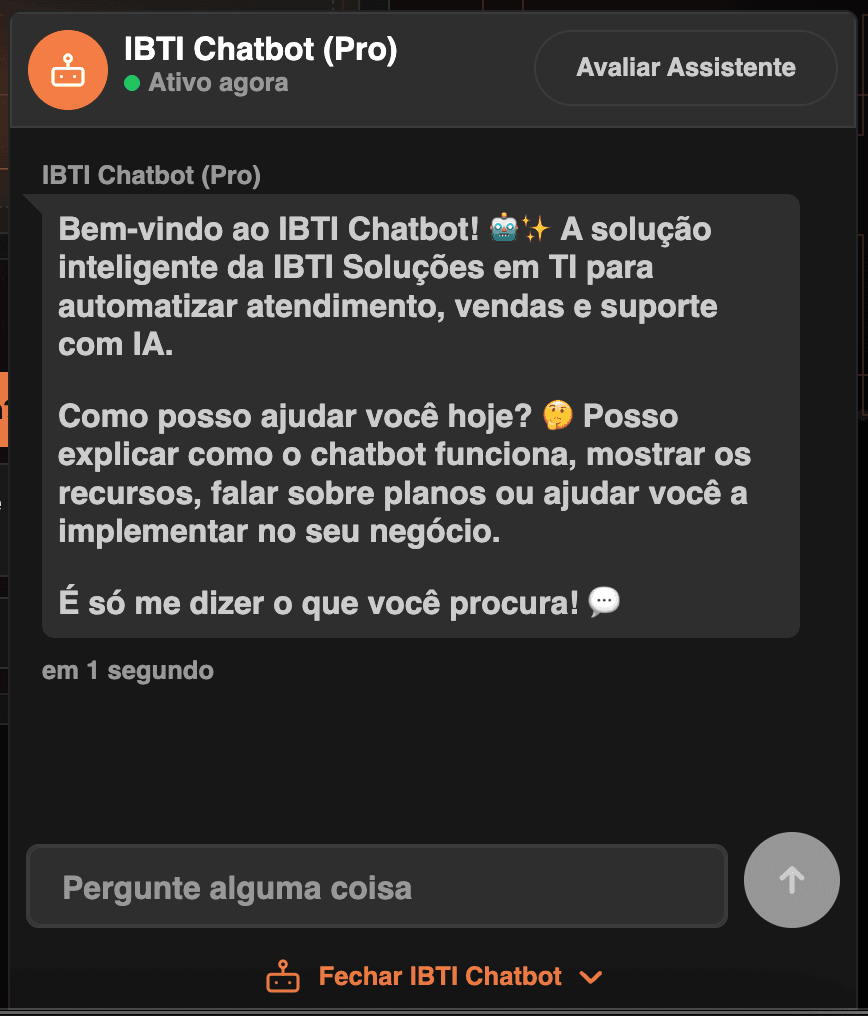
Smart assistant directly on your website
The visitor interacts with an AI assistant in real time, featuring a modern interface, online status indicator, and a smooth experience across desktop and mobile.
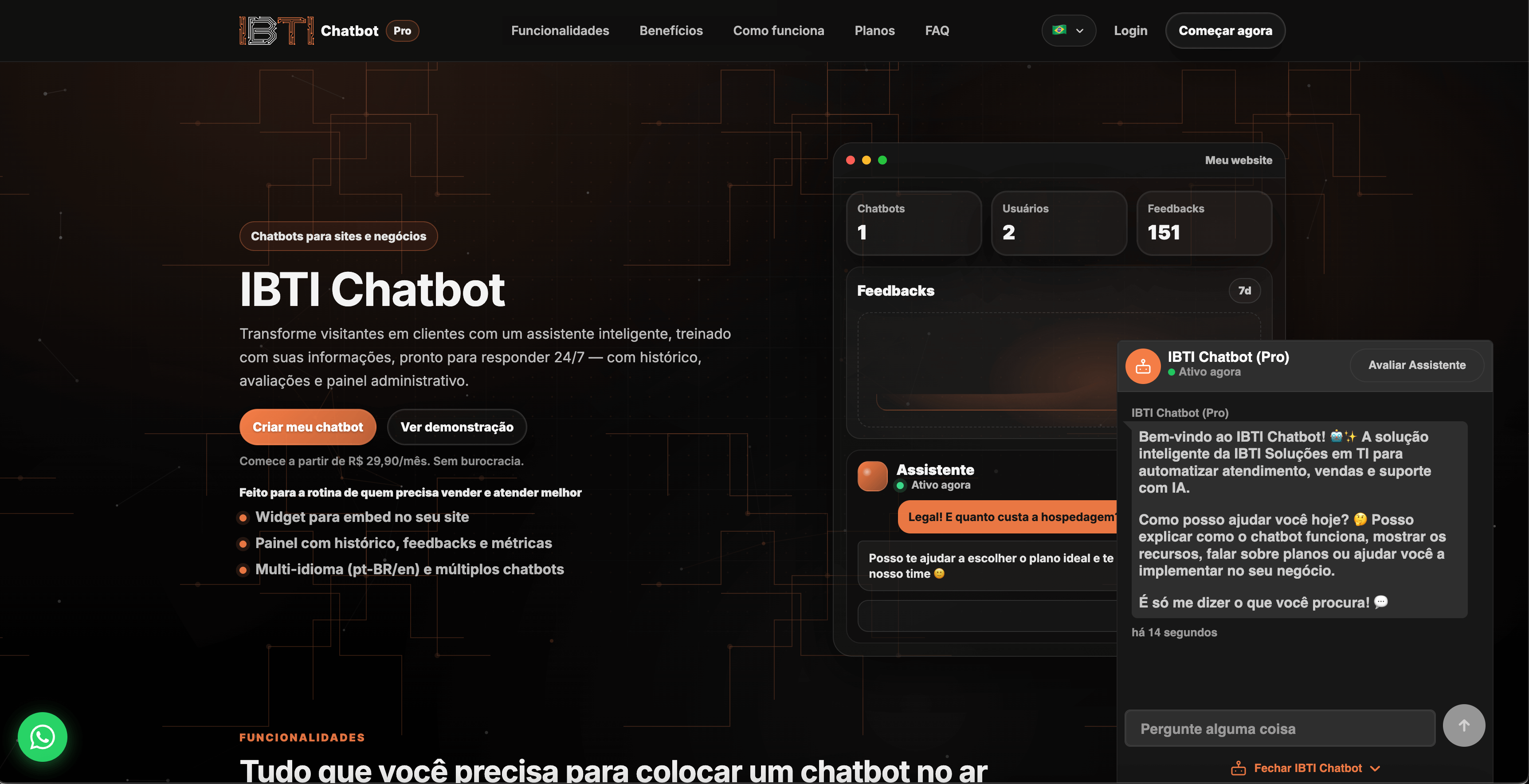
Native experience inside your website
The chatbot appears as a natural part of the website navigation, accompanying users throughout their journey and helping with questions, decisions, and conversions.
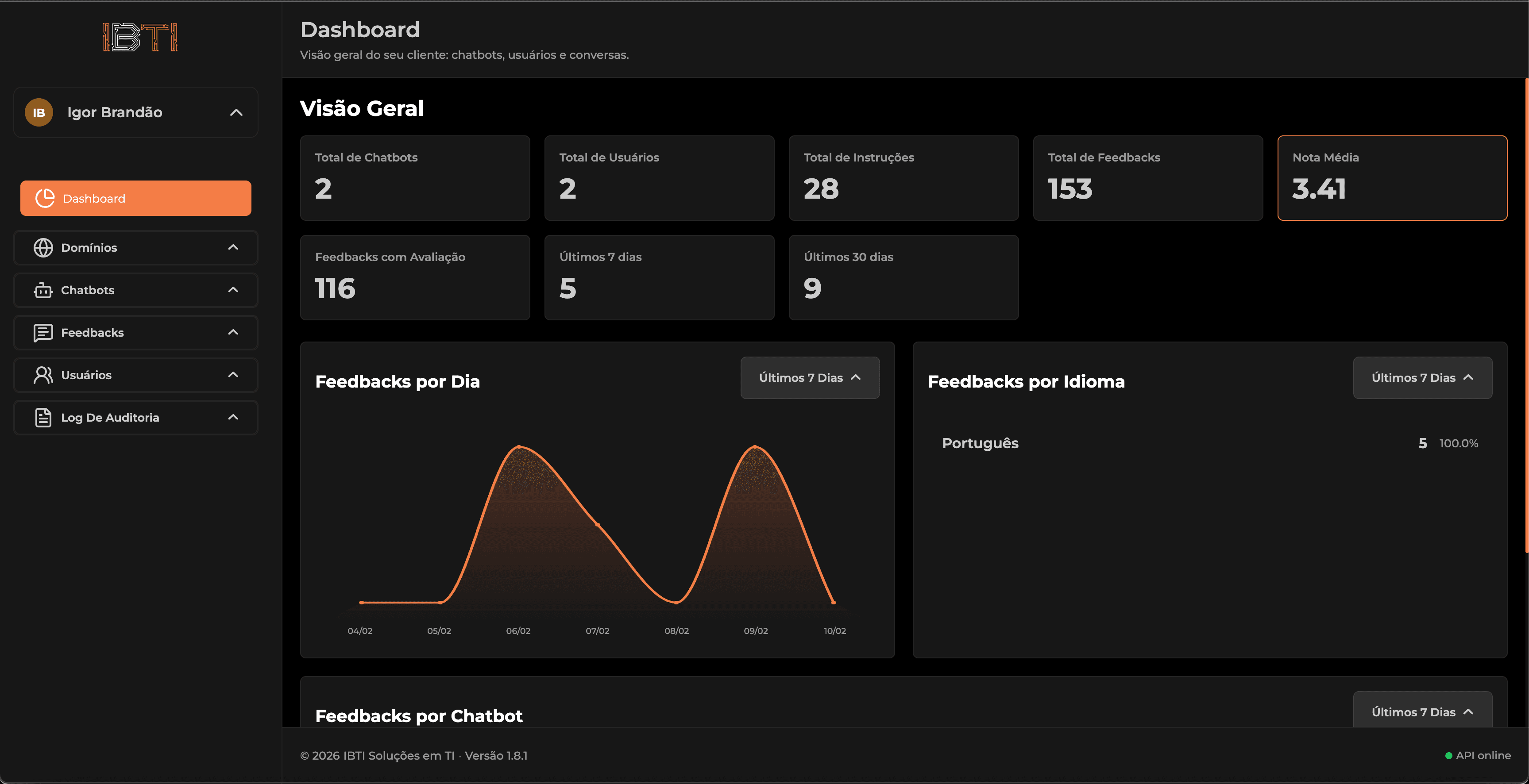
Dashboard with full usage overview
Track active chatbots, users, instructions, feedback, and average ratings in one place, with performance charts and key metrics.
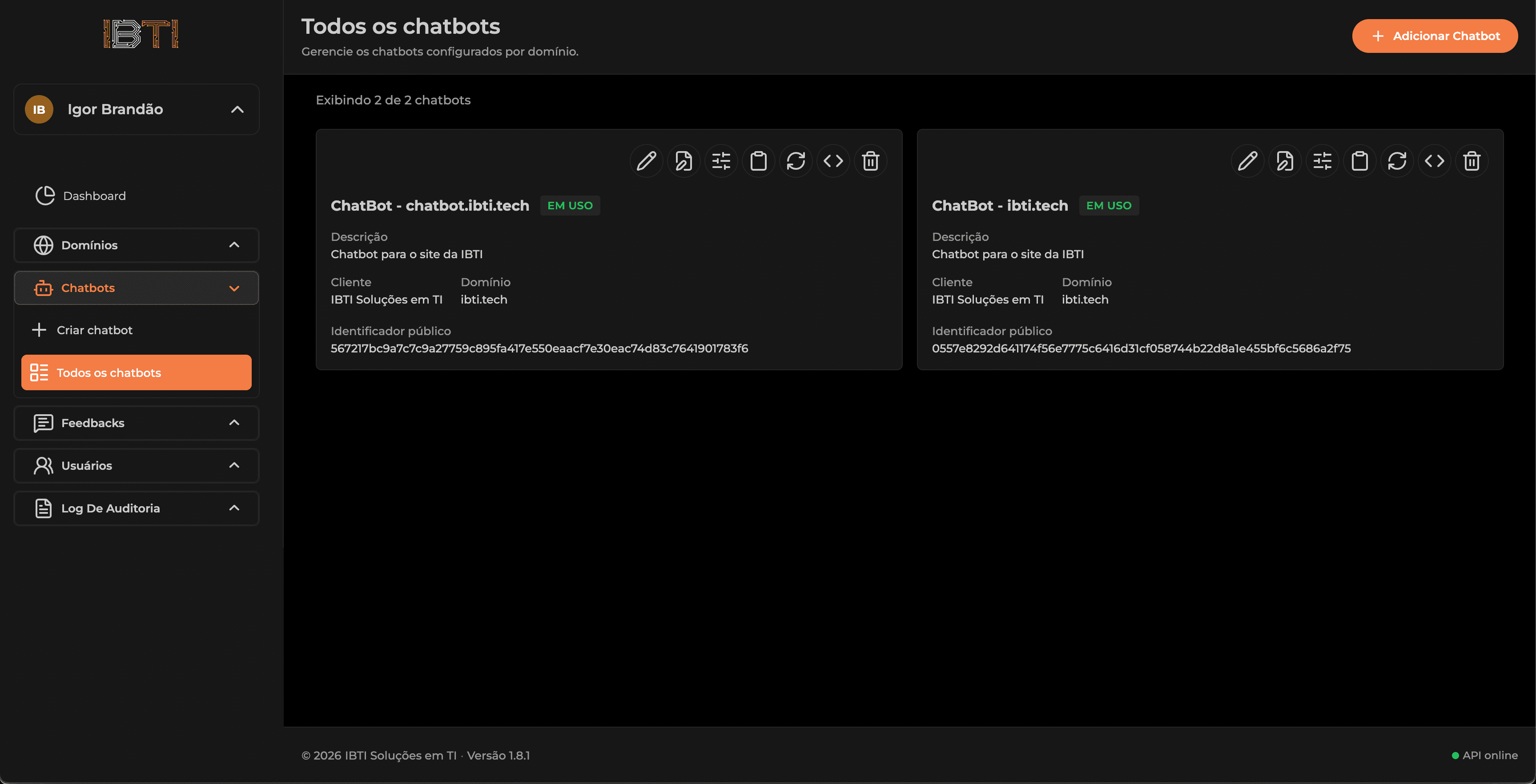
Control all your chatbots
View and manage multiple chatbots, each linked to different domains, with status indicators, identifiers, and quick actions.
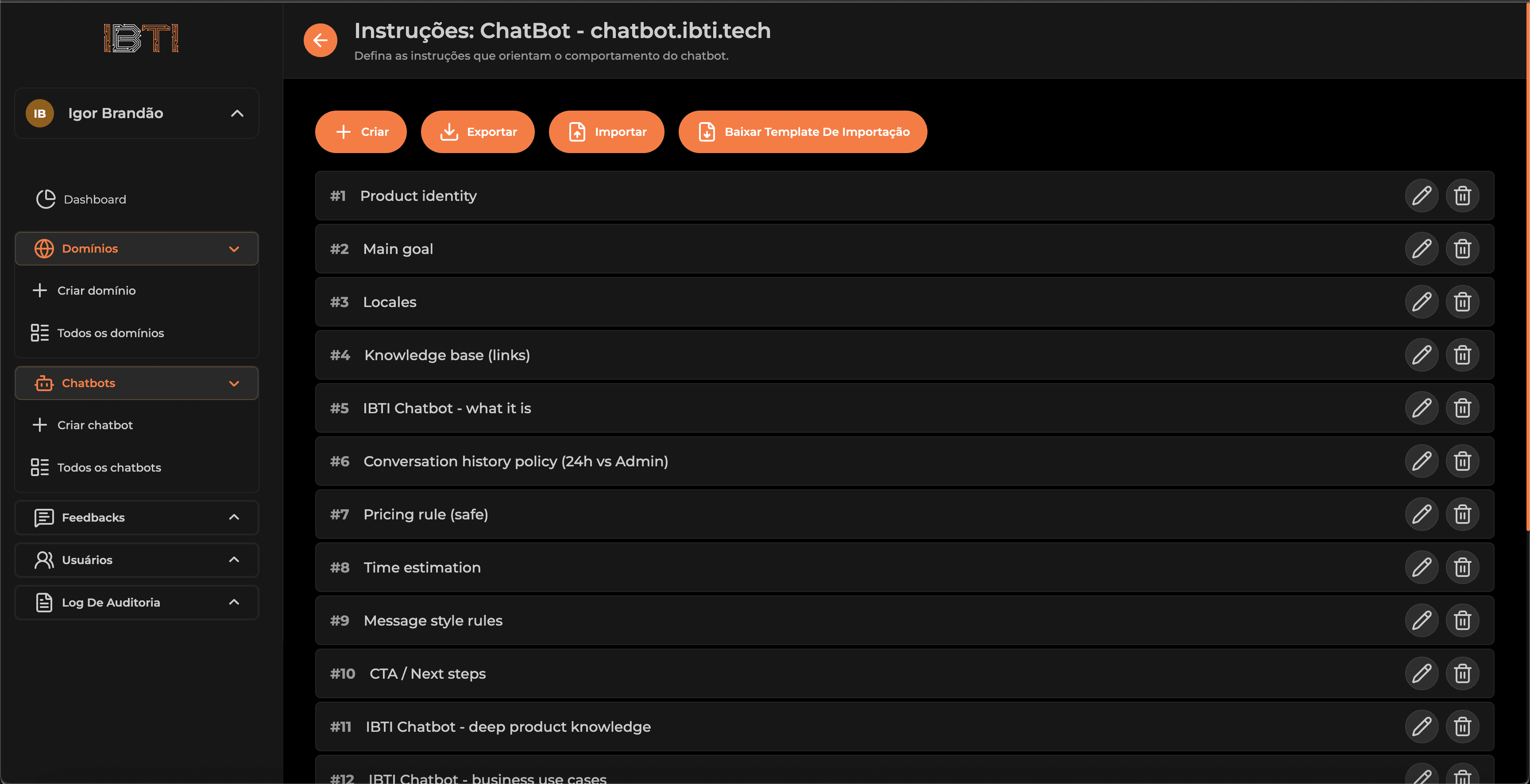
AI rules, context, and behavior setup
Define how the chatbot should behave: product identity, goals, knowledge base, tone of voice, limits, and response flows.
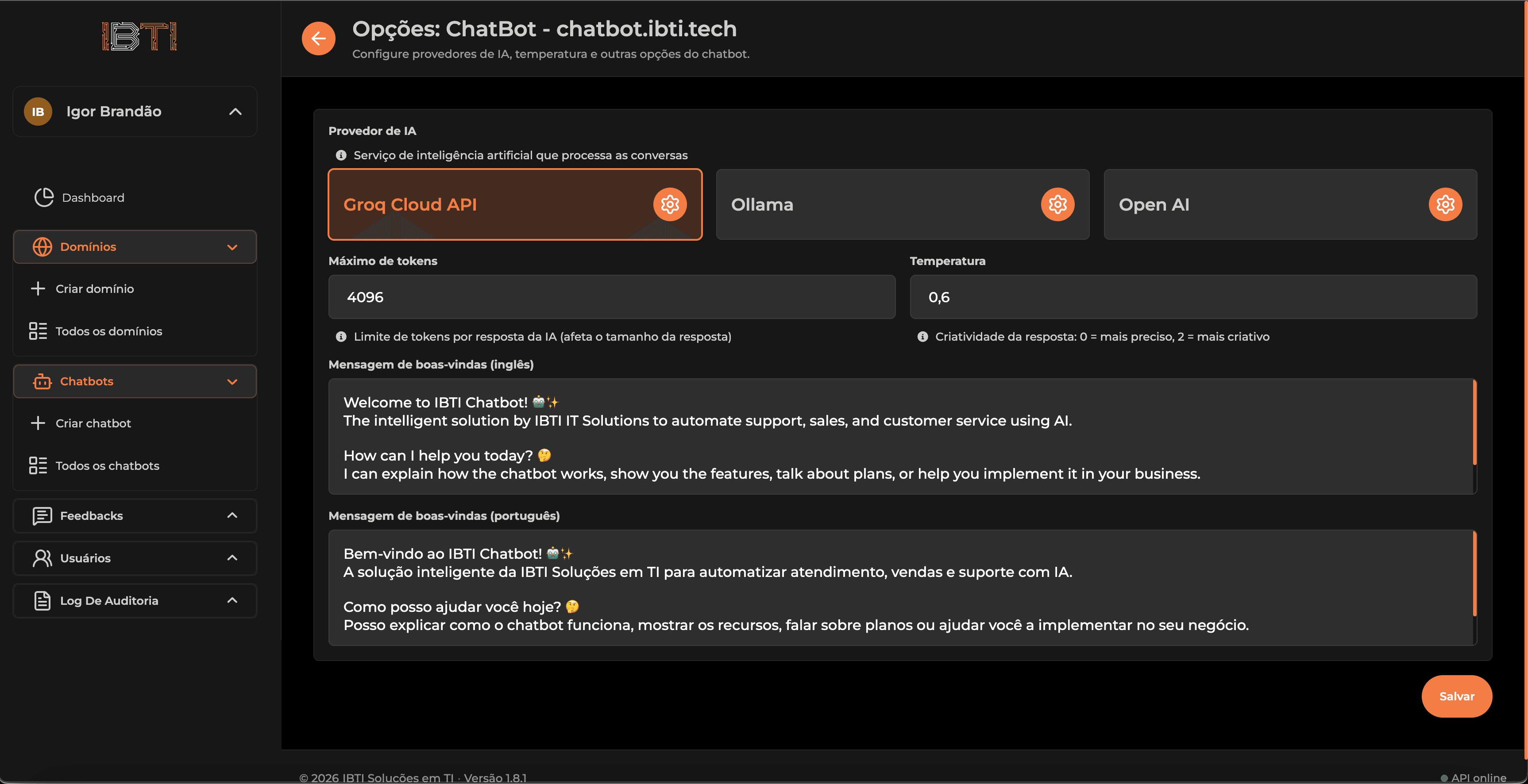
Technical control of the chatbot intelligence
Choose between OpenAI, Groq, or Ollama and adjust parameters like tokens and temperature to balance accuracy and creativity.
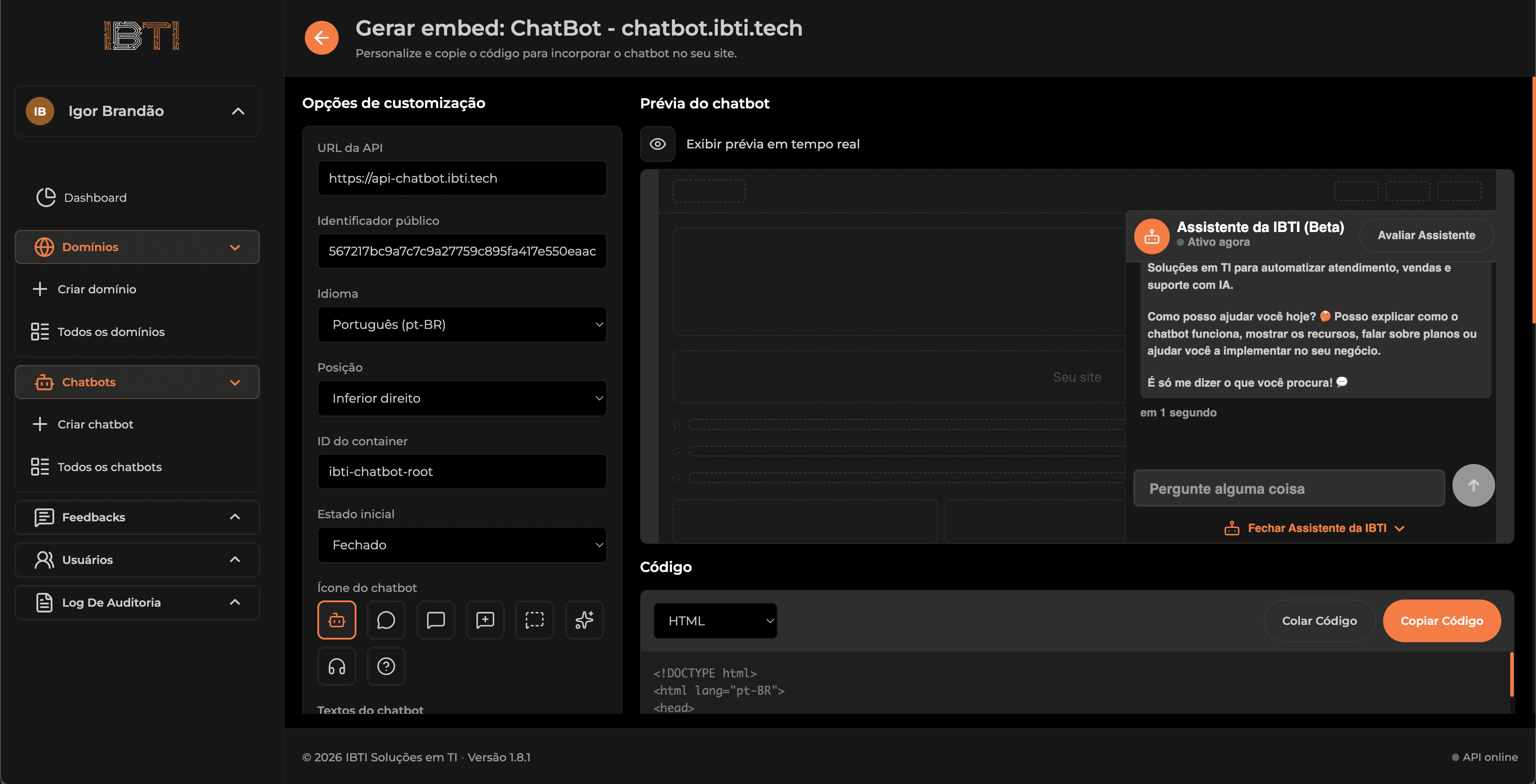
Publish the chatbot on your site in minutes
Generate and copy the embed code, customize the language, position, and the widget’s initial behavior.
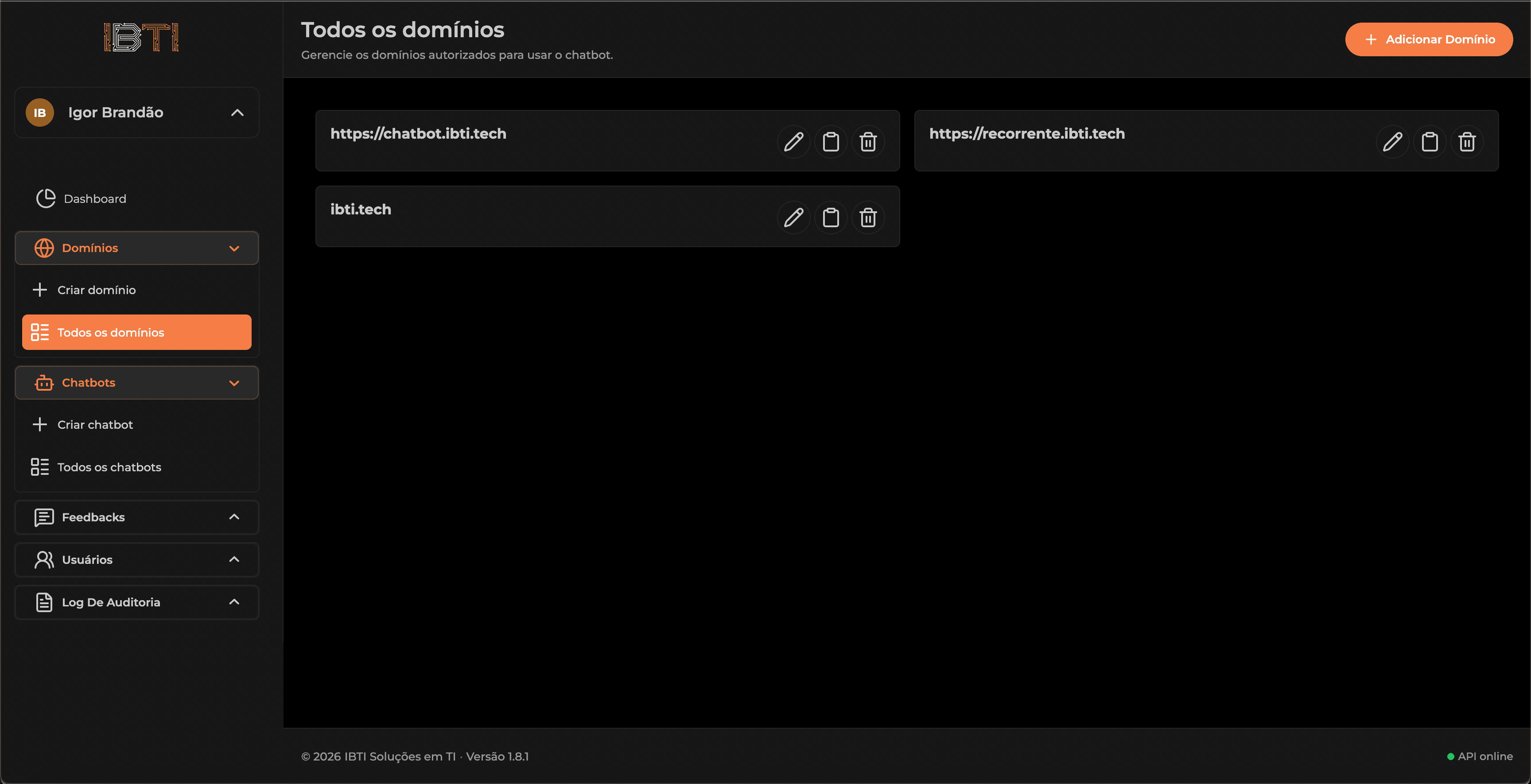
Control where the chatbot is allowed to run
Manage which domains are allowed to run the chatbot—ideal for multiple websites, clients, or projects.
Ready to add an AI assistant to your website?
FAQs
- No. The admin panel is designed to be simple and intuitive. You just need to copy the embed code and paste it into your website.
- After creating your chatbot, the platform generates an embed code that you can add to your site.
- Yes. Depending on your plan, you can manage multiple chatbots and domains.
- OpenAI, Groq, and Ollama, with full control over model and parameters.
- Yes. You can configure the chatbot to assist users in multiple languages.
- Yes. The dashboard shows conversation history, ratings, and performance metrics.